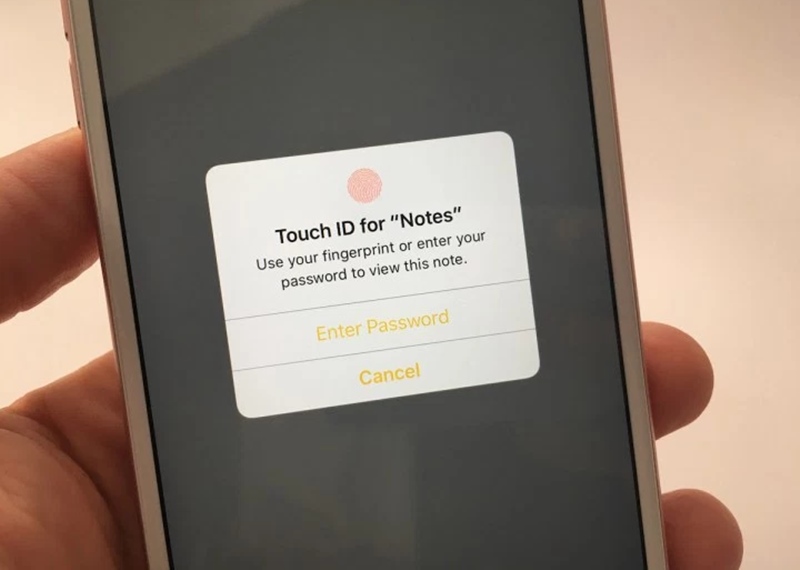
otes are a handy way to make and store your personal information for future use. If it is in anyway a medical, financial or otherwise personal, it must be kept safe. As these notes are mostly openly saved in your iOS devices and this can compromise with your privacy. So, lets use a password or use Touch ID on iPhone for security on Notes. When you first try to protect a note, you will be automatically asked to set a global password for securing your notes by visiting the password section in the Notes settings. And in this article we will be discussing all the possible methods. So have a look on complete guide discussed below to proceed.Time to secure your all notes that you save in your iPhone to protect your privacy from stopping unauthorized access to your data using the passwords and touch ID with the help of guide discussed below.
How to lock Notes with password or Touch ID on iPhone and iPad
The method is quite simple and easy and you just need to follow the simple step by step guide discussed here.
#1 To set a password in Notes:
1. Launch Notes from your Home screen.
2. Tap on an existing note or type a new note.
3. Tap on the Share button.
4. Tap Lock Note.
5. Enter a Password — this will be for all your notes, including Notes on Mac, if you use it.
6. Enter the same password again to Verify.
7. Add a hint, if you really need one.
2. Tap on an existing note or type a new note.
3. Tap on the Share button.
4. Tap Lock Note.
5. Enter a Password — this will be for all your notes, including Notes on Mac, if you use it.
6. Enter the same password again to Verify.
7. Add a hint, if you really need one.

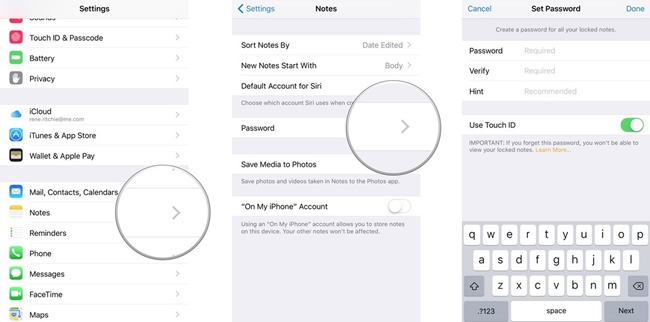
#2 To set a password in Settings:
1. Launch Settings from your Home screen.
2. Tap on Notes.
3. Tap on Password.
4. Enter a Password — this will be for all your notes, including Notes on Mac, if you use it.
5. Enter the same password again to Verify.
6. Add a hint, if you really need one.
7. Switch Touch ID to on, if you want to use a fingerprint for faster and more convenient unlocking.
2. Tap on Notes.
3. Tap on Password.
4. Enter a Password — this will be for all your notes, including Notes on Mac, if you use it.
5. Enter the same password again to Verify.
6. Add a hint, if you really need one.
7. Switch Touch ID to on, if you want to use a fingerprint for faster and more convenient unlocking.
You must be sure about the password that it is strong enough that no one can cracks it. Touch ID makes the process much faster and more convenient, but someone can try to touch the sensor when you are sleeping or in other way incapacitated.

